WiFi Digital Lock Troubleshooting Guide for Common Issues
Mar. 13, 2026
This comprehensive troubleshooting guide, brought to you by YORFAN, a leading smart lock manufacturer, addresses the most common issues users face with WiFi digital locks. It covers connectivity problems, battery and power issues, app malfunctions, and mechanical failures, providing clear step-by-step solutions for each. The article also emphasizes the importance of regular firmware updates, security practices, and smart home integration for optimal functionality. Featuring preventative maintenance tips and an FAQ section, it ensures both new and experienced users can keep their YORFAN locks secure and reliable. The guide briefly introduces related technologies like wireless door locks and highlights YORFAN’s commitment to innovation and customer support. Whether you’re troubleshooting minor glitches or seeking advanced assistance, this guide equips you with the knowledge to maintain a safe and efficient smart home environment.
Welcome to the comprehensive troubleshooting guide for WiFi digital locks by YORFAN, a global leader in smart lock manufacturing. As smart home security becomes an essential part of modern living, WiFi digital locks offer unparalleled convenience and peace of mind. However, like any advanced technology, they can sometimes present issues. This detailed guide covers the most common problems users encounter with WiFi digital locks and provides step-by-step solutions to get your smart lock working seamlessly again.
Understanding Your YORFAN WiFi Digital Lock
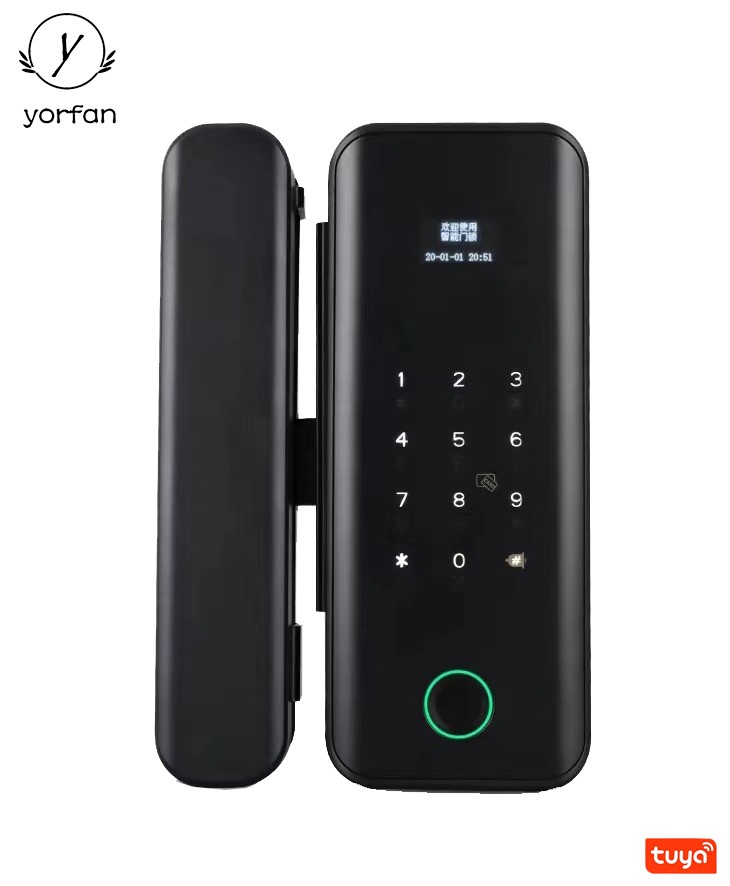
YORFAN's cutting-edge WiFi digital locks combine robust security features with the latest in wireless connectivity. These digital locks allow homeowners and businesses to control access remotely, monitor entry logs in real-time, and manage multiple users through a dedicated mobile app. With features like fingerprint recognition, keypad entry, RFID compatibility, and integration with smart home ecosystems, YORFAN locks are at the forefront of smart lock technology.
Why Choose a WiFi Digital Lock?
Remote access and control from anywhere
Easy integration with smart home devices
Multiple authentication methods
Comprehensive access logs and audit trails
Enhanced security through advanced encryption
The benefits are clear, but even the best devices can experience issues. Let’s explore the most common problems and their solutions.
undefined
Common Issues with WiFi Digital Locks
1. Connection Problems
The most frequent complaint is the lock losing connection to the WiFi network. This can result in delayed notifications, inability to control the lock remotely, or errors during operation.
How to Fix Connection Problems
Check WiFi Signal Strength: Ensure the lock is within range of your WiFi router. Obstructions such as thick walls or metal doors can weaken the signal.
Restart Both Devices: Power cycle your lock and router. This often resolves minor communication glitches.
Update Lock Firmware: In the YORFAN app, check for firmware updates for improved connectivity and bug fixes.
Reset Network Settings: If issues persist, reset the lock’s network settings and re-connect to your WiFi.
2. Battery Drain or Power Issues
Another common issue is unexpectedly fast battery drain or a lock that fails to power on. This affects daily usability and security.
Troubleshooting Power Issues
Check Battery Quality: Use only high-quality, recommended batteries. Avoid mixing old and new batteries.
Monitor Battery Level: The YORFAN app provides real-time battery reports. Replace batteries when prompted.
Check for Jammed Mechanisms: Mechanical resistance can cause excessive power draw. Ensure the deadbolt or latch moves freely.
Firmware Updates: Sometimes, a software update can improve power management.
3. App Not Responding or Failing to Sync
App-related issues can prevent you from locking or unlocking remotely, or viewing access logs in real time.
Resolving App Issues
Update the App: Ensure you have the latest version of the YORFAN smart lock app.
Clear Cache/Data: On your mobile device, clear the app’s cache and data in system settings.
Re-login: Log out and back in to refresh the app’s connection to your lock.
Check Permissions: Make sure the app has the necessary permissions for Bluetooth, WiFi, and notifications.
4. Mechanical Malfunctions
Sometimes, physical components can jam or fail. This can be caused by misalignment, debris, or wear and tear.
Steps to Address Mechanical Issues
Inspect the Lock: Check for obstructions or dirt in the lock mechanism.
Lubricate the Hardware: Use a silicone-based lubricant; avoid oil-based products.
Check Door Alignment: Ensure the door and strike plate align properly. Adjust hinges or strike plate as needed.
Contact YORFAN Support: If the problem persists, contact our service team for guidance or replacement parts.
Advanced Troubleshooting Tips for YORFAN Smart Locks
Resetting Your YORFAN WiFi Digital Lock
If standard troubleshooting doesn’t resolve the issue, a factory reset may be necessary. This will erase all settings and user codes, so be sure to back up your data.
Refer to your user manual for reset instructions.
After resetting, re-add the lock to your YORFAN app and reconfigure user permissions.
Firmware Updates
YORFAN regularly releases firmware updates to enhance performance and address vulnerabilities. Always keep your device updated for optimal security and functionality.
Check for updates via the app dashboard.
Ensure the lock is connected to a reliable WiFi network during updates.
Security Considerations and Smart Home Integration
WiFi digital locks, such as those from YORFAN, offer integration with popular smart home systems. Pairing your lock with voice assistants and automation platforms enhances convenience, but it’s important to follow best practices for security.
Use strong, unique passwords for app and WiFi access.
Enable two-factor authentication if available.
Regularly review access logs via the app for unusual activity.
Smart Home Ecosystem Compatibility
YORFAN locks are compatible with leading smart home platforms, allowing you to incorporate the lock into routines (like automatically unlocking when you arrive home). This increases accessibility and security.
Enhancing Your Smart Home Experience with YORFAN
By choosing YORFAN, you’re not only investing in a reliable WiFi digital lock but also in a comprehensive smart home experience. Our smart locks are built to work seamlessly with home automation systems, providing a unified, secure, and convenient environment for you and your family. If you are interested in expanding your smart home security, consider integrating other YORFAN smart products, such as video doorbells and security cameras, for a holistic solution. The integration with wireless door lock technology is another way to ensure seamless access and enhanced control over your property’s entry points.
Frequently Asked Questions
Q: What should I do if my WiFi digital lock is unresponsive? A: Start by checking power and WiFi connection. If the issue persists, perform a power cycle and consult the app for error messages.
Q: How often should I change the batteries in my YORFAN smart lock? A: Typically every 10-12 months, or when prompted by the app.
Q: Can I integrate my YORFAN lock with Alexa or Google Home? A: Yes, YORFAN supports integration with major smart home platforms.
Q: What security measures are in place to protect my lock’s data? A: All data is encrypted using advanced protocols. Regular firmware updates further enhance security.
Q: Who do I contact for support? A: Use the YORFAN support portal or contact your regional service center for technical assistance.
Preventative Maintenance Tips
Regularly clean and inspect the lock for debris.
Update firmware and app regularly.
Replace batteries proactively rather than waiting for alerts.
Review access logs for unauthorized attempts.
Contacting YORFAN for Advanced Support
If you’ve tried all the troubleshooting steps and your issue remains unresolved, the YORFAN support team is ready to assist you. Our trained professionals can provide advanced diagnostics, replacement parts, or arrange for in-home service if necessary. Visit our website to access trouble ticket forms, video tutorials, and live chat support.
Conclusion: Keeping Your Smart Lock Secure and Reliable
WiFi digital locks represent the future of home security, blending convenience and robust protection. With YORFAN’s commitment to innovation and customer service, you can trust your lock to safeguard your property. By regularly maintaining your lock, promptly addressing issues, and utilizing the full range of smart features, you ensure a safe and efficient smart home environment.
For more information, troubleshooting tips, or to explore the full range of YORFAN’s smart security products, visit our website or contact our customer support team today.
About YORFAN
YORFAN is a leading smart lock manufacturer, dedicated to innovation, security, and user-centric design. Our range of WiFi digital locks, wireless door lock solutions, and integrated smart home devices is trusted by millions worldwide. Discover more about how YORFAN can protect your home and enhance your lifestyle.