Dec. 05, 2025
In the age of smart homes and advanced security, fingerprint locks are becoming an increasingly popular choice for homeowners. As a leading smart lock manufacturer, YORFAN is at the forefront of this technological evolution, providing secure, convenient, and stylish fingerprint lock solutions for residential settings. In this comprehensive guide, we’ll walk you through everything you need to know about installing fingerprint locks in your home, ensuring your peace of mind and a seamless user experience.
Why Choose a Fingerprint Lock for Your Home?
Traditional locks and keys have served us for centuries, but they are not without their flaws—lost keys, lockouts, and unauthorized duplication are common issues. Fingerprint locks, on the other hand, offer a blend of security and convenience that is hard to match. YORFAN’s smart lock systems use advanced biometric technology, ensuring that only registered users can gain access to your home.
Enhanced Security: Biometric authentication is extremely difficult to replicate, reducing the risk of break-ins.
Convenience: No more fumbling for keys—your fingerprint is always with you.
User Management: Easily add or remove users as needed, perfect for families or rental properties.
Key Features of YORFAN Fingerprint Locks
As a reputable smart lock manufacturer, YORFAN integrates several innovative features into its fingerprint locks:
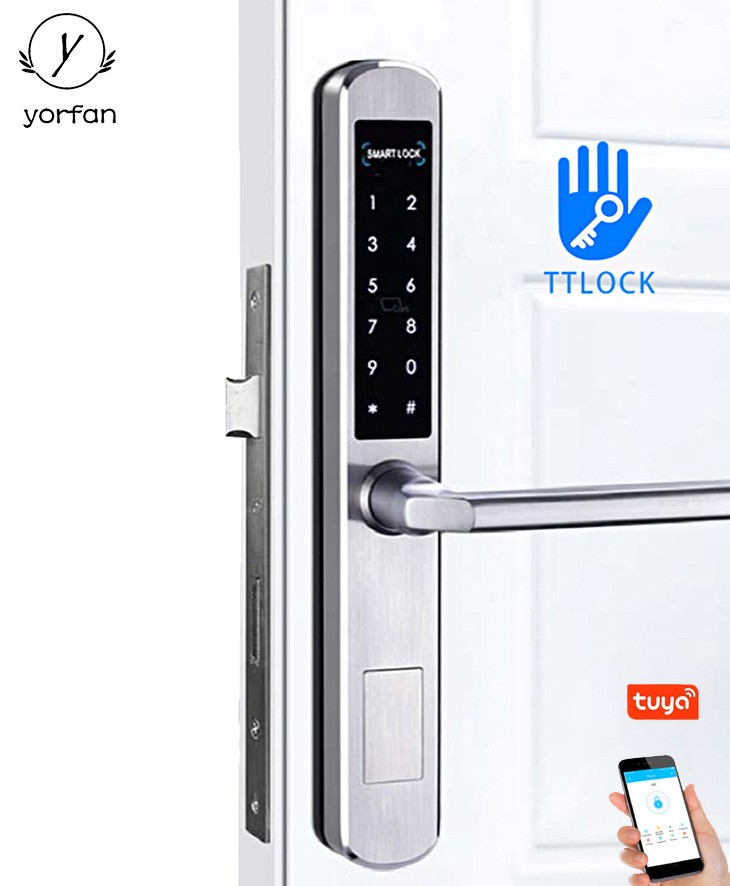
Multi-Layer Authentication: Combine fingerprint, PIN code, and RFID card access for enhanced security.
Remote Control: Manage access and monitor entry logs via a dedicated smartphone app.
Durable Build: Weather-resistant and tamper-proof designs ensure longevity and reliability.
Easy Installation: Designed for DIY installation, suitable for most standard residential doors.
These features make YORFAN fingerprint locks ideal for modern homes, providing both security and ease of use.
Preparing for Installation
1. Assess Door Compatibility
Before you begin, ensure your door is compatible with the fingerprint lock you intend to install. Most YORFAN smart locks fit standard doors with a thickness between 35mm and 55mm. Check the backset (the distance from the edge of the door to the center of the lock hole) and ensure there is enough space for the lock mechanism.
2. Gather Necessary Tools
YORFAN provides a comprehensive installation kit with each fingerprint lock, but you may also need:
Step-by-Step Installation Guide
Step 1: Remove Existing Lock
If you are replacing an old lock, use a screwdriver to remove the existing hardware. Carefully take out the latch and strike plate.
Step 2: Mark and Drill Holes
Use the template provided by YORFAN to mark the positions for the new lock. If your door doesn’t already have the required holes, drill them according to the template. Double-check measurements to ensure proper alignment.
Step 3: Install the Latch and Strike Plate
Insert the latch into the side of the door and secure it with screws. Attach the strike plate to the door frame, ensuring it aligns with the latch for smooth operation.
Step 4: Attach the Fingerprint Lock
Position the exterior and interior lock panels on either side of the door. Feed any necessary cables through the door hole, connecting them as per YORFAN’s instructions. Secure both panels with the provided screws.
Step 5: Power Up and Test
Insert the batteries (usually AA) and power on the lock. Follow the setup instructions to register your fingerprint and test the lock’s operation. Ensure the door opens and closes smoothly.
Programming and User Management
YORFAN fingerprint locks allow you to register multiple fingerprints, making it easy to grant access to family members or trusted friends. The lock’s interface typically guides you through the process:
Enter the admin mode using the default code or master fingerprint.
Select “Add User” and follow the prompts to scan each fingerprint.
Test each registered fingerprint to confirm successful programming.
For added convenience, YORFAN’s smart locks can often be managed via a dedicated mobile app, allowing you to add or remove users remotely, monitor access logs, and receive security alerts.
Maintenance and Troubleshooting
Regular Maintenance
To ensure optimal performance, periodically clean the fingerprint sensor with a soft, dry cloth. Check battery levels regularly and replace them as needed—most YORFAN locks will alert you when battery power is low. Avoid using harsh chemicals or abrasive materials on the lock.
Troubleshooting Common Issues
Fingerprint Not Recognized: Clean the sensor and ensure your finger is dry and clean.
Lock Not Responding: Check battery placement and replace if necessary.
Mechanical Issues: Ensure all screws are tight and the latch is properly aligned.
Integrating with Smart Home Systems
YORFAN’s fingerprint locks are designed to work seamlessly with popular smart home ecosystems. Integration with systems such as Amazon Alexa and Google Home allows you to control your lock with voice commands or automate routines for added convenience. This capability not only enhances user experience but also strengthens overall home security.
The Role of Biometric Security and Access Control
Biometric security is rapidly becoming the gold standard in access control. By using unique biological characteristics, such as fingerprints, YORFAN ensures that only authorized individuals can enter your home. This technology is especially valuable in residential settings where ease of use and high security are paramount. Access control systems powered by biometrics offer a robust layer of protection, deterring unauthorized entry and simplifying user management.
Conclusion: Elevate Your Home Security with YORFAN
Installing a fingerprint lock from YORFAN is a smart investment in your home’s security and convenience. With straightforward installation, advanced biometric security, and seamless smart home integration, YORFAN fingerprint locks are the ideal choice for modern residential settings. By following this guide, you can confidently upgrade your home’s entry points, enjoy peace of mind, and experience the future of home security today.
If you’re ready to take the next step, explore YORFAN’s full range of smart lock solutions and discover how easy it is to bring biometric security and access control to your home.